Mixed pipeline
One SMTP path
Marketing blast
Spam folder
Password reset
Blocked too

Every email has a different job. When password resets share a pipeline with promotional blasts, one spam complaint can block critical receipts. Message Streams split your SMTP traffic into isolated paths — each with its own domains, analytics, and webhooks.
Message Streams are dedicated sending pipelines inside SMTPServer. Each stream routes a type of email — transactional, marketing, onboarding, or alerts — through its own domain pool and reputation path. If a marketing campaign spikes bounces, your transactional stream keeps delivering without cross-contamination.
Mixed traffic drags everything down. Isolated streams protect the mail that matters most.
Mixed traffic is the fastest way to lose inbox placement for the messages that matter most.
Receipts, 2FA codes, and password resets stay on a clean transactional stream — isolated from high-volume promotional sends.
Stream-level stats show sent volume, delivery rate, and bounces per pipeline — not a blended average that hides problems.
Track delivery trends, outcome splits, and domain pool performance for each message stream — without mixing transactional and bulk data.
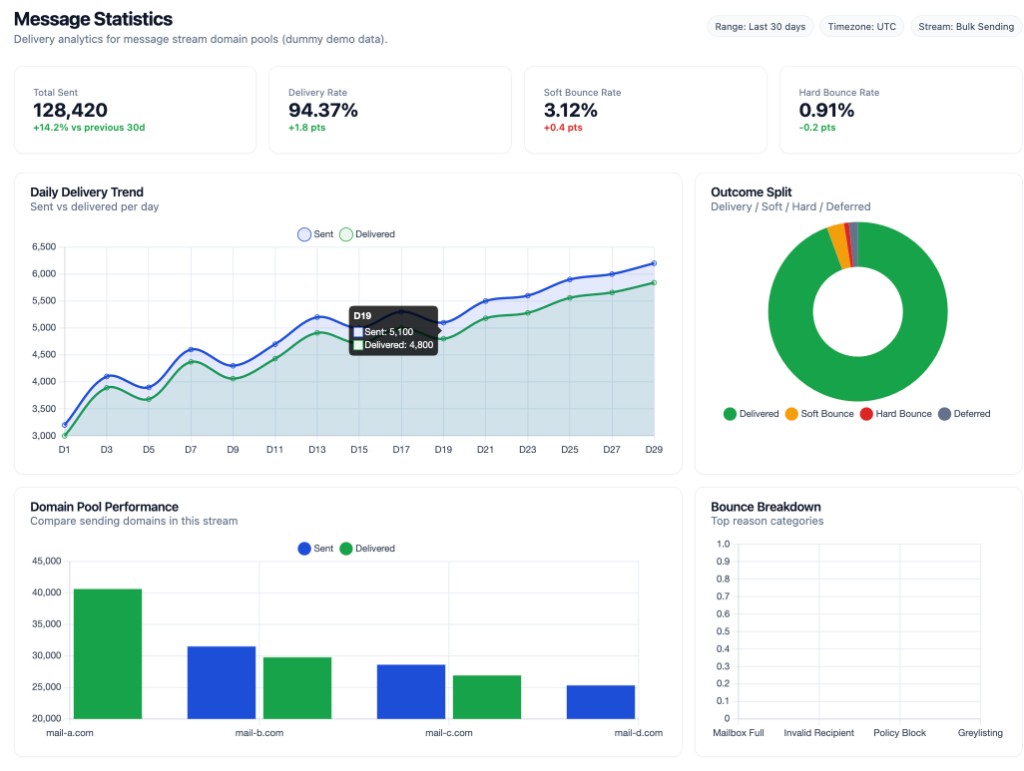
Map one or many domains to a single stream. Run a SaaS app and agency clients from one account with clean, branded sender signatures.
Create streams per segment, campaign type, or department. Keep transactional mail on dedicated IPs separate from newsletters.
Compare onboarding vs weekly digest streams side by side. Spot bounce spikes and complaint trends before they spread.
Trigger automations when a stream reports a bounce, complaint, or click. See API integration for webhook setup.
Name it for the traffic type — transactional, marketing, or alerts.
Attach one or more verified domains to the stream's pool.
Point SMTP or API sends at the stream-specific credentials.
Review delivery stats and webhooks per stream in the dashboard.
hard_bounce events in your backend.
Yes. Map one or many verified domains to a single stream for branded sending across business units — see multiple domain setup.
Each stream reports sent volume, delivery rate, bounces, and domain pool performance independently in the dashboard.
Add HTTPS webhook URLs in the dashboard. Events like bounces, complaints, and clicks fire only for traffic in that stream.
Stream segmentation and analytics are available on paid plans with dedicated IPs. Start on the free plan to test SMTP, then upgrade on plans.
Split transactional and marketing traffic into Message Streams — quick DNS setup, transparent EUR pricing, and chat support when you need it.
We accept credit cards, cryptocurrencies and PayPal.